

So the practice is growing. Patients keep coming. Paper charts are piling up. Staff spend more time hunting for files than actually helping people. Sound familiar? That is usually the moment when the search for an EHR system begins.
But here is the hard truth. Signing that contract is a big deal. It locks the practice into years of commitment. Monthly fees. Training time. Workflow changes. Get it wrong and the whole team pays the price. Get it right and everything runs smoother.
So before the pen meets paper, slow down. Ask these twelve questions. They separate a smart decision from a costly mistake.
What Exactly Is an EHR System?
Let us start with the basics. EHR stands for Electronic Health Record. It is software that stores patient information digitally.
- It holds patient health history, medications, allergies, and test results.
- It tracks visits over time so nothing gets missed.
- It connects with labs, pharmacies, and other providers.
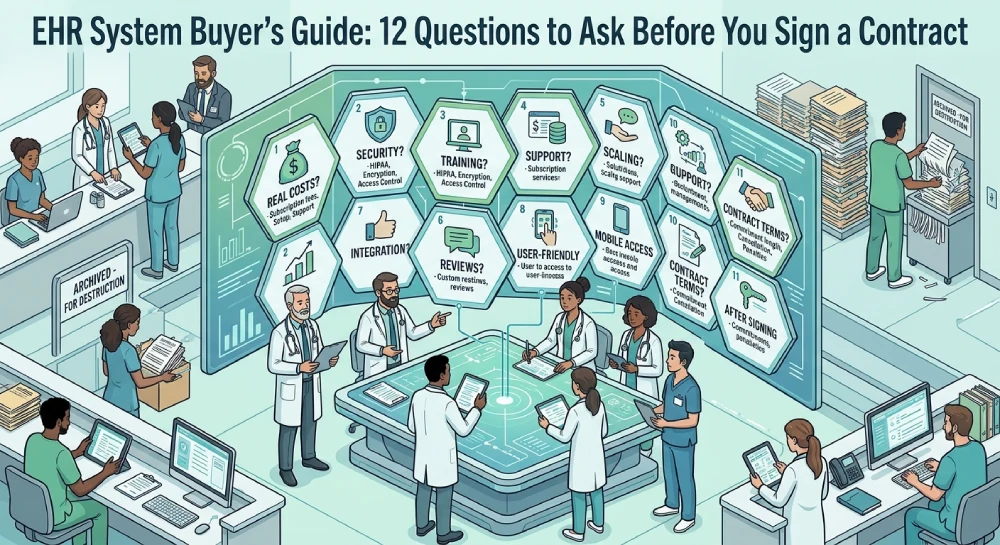
Unlike paper charts, an EHR system keeps everything in one place. Searchable. Secure. Accessible from anywhere with the right permissions. The advantages of EHRs are real. Fewer errors. Faster access. Better coordination between providers. But only if the right system gets chosen.
EHR vs CRM: What Is the Difference?
This confuses people all the time. They sound similar. They are not.
An EHR system handles clinical data. Diagnoses, treatments, prescriptions. That is it. A Customer Relationship Management platform, or CRM, handles business relationships. Scheduling, billing, reminders, marketing.
- EHR equals clinical care.
- CRM equals business operations.
- Some systems combine both.
Understanding EHR vs CRM matters because buying the wrong one wastes money. A CRM cannot store patient health information. An EHR cannot manage sales pipelines. Know the difference before shopping.
Why EHR Strategy Matters
Buying software without a plan is like building a house without blueprints. It falls apart.
An EHR strategy starts with questions. What does the practice actually need? What problems need solving? How will staff adapt?
- Map current workflows first.
- Identify pain points.
- Set clear goals for the new system.
Healthcare technology changes fast. A system that works today might feel outdated in three years. A solid strategy accounts for growth, not just the present.
Question One: What Are the Real Costs?
The sticker price is never the full story. Ask about everything.
- Setup fees
- Monthly subscriptions
- Training costs
- Support charges
- Upgrade fees
Hidden costs add up fast. A system that looks affordable upfront might drain the budget later. Get every number in writing. No surprises.
Question Two: How Secure Is Patient Data?
Health information security is not optional. It is the law.
- Is data encrypted?
- Where are servers located?
- Who has access?
What happens during a breach?
Patient health information is sensitive. One leak destroys trust. Ask about compliance with HIPAA and other regulations. No clear answers mean walk away.
Question Three: How Does Data Management Work?
EHR data management covers a lot. Storage, backups, transfers, and retrieval.
- Can data move easily between systems?
- What happens if the practice switches vendors?
- Are backups automatic?
Nobody wants to be trapped. Owning data matters. If leaving means losing everything, that is a red flag.
Question Four: What Training Comes With It?
New software means new habits. Without proper training, staff struggle.
- Is training included?
- Is it online or in person?
- How long does it take?
A great EHR system with poor training becomes useless. Ask for details. Vague answers hint at trouble ahead.
Question Five: How Does Support Work?
Things break. Questions come up. Support matters.
- Is support available 24/7?
- Is it phone, chat, or email?
- How fast is response time?
Slow support means lost productivity. Ask for real numbers. Not promises.
Question Six: Can It Scale?
The practice today might not be the practice in five years. Growth happens.
- Can it handle more patients?
- Can it add providers?
- Does pricing change with growth?
A system that cannot scale becomes a burden. Think ahead.
Question Seven: Does It Integrate With Other Tools?
Nothing works alone. Labs, pharmacies, billing systems. All need to connect.
- Does it link with existing tools?
- Are there extra fees for integration?
- How smooth is the setup?
Poor integration creates extra work. Staff ends up juggling multiple systems. That defeats the purpose.
Question Eight: What Do Current Users Say?
Reviews tell stories. Listen to them.
- Check online reviews.
- Ask for references.
- Talk to actual users.
- Sales pitches sound great. Real experiences reveal the truth.
Question Nine: How User-Friendly Is It?
If it is hard to use, nobody will use it.
- Is the interface clean?
- How many clicks to complete tasks?
- Do staff need constant help?
A clunky EHR system slows everything down. Test it first. Get feedback from the team.
Question Ten: What About Mobile Access?
Doctors move around. Nurses move around. Access needs to follow.
- Is there a mobile app?
- Does it work offline?
- How secure is mobile access?
Flexibility matters in modern healthcare technology. No mobile access means limited usefulness.
Question Eleven: What Is the Contract Terms?
Read the fine print. Every word.
- How long is the commitment?
- What are cancellation terms?
- Are there penalties for leaving?
Long contracts lock in decisions. Make sure the terms feel fair. No pressure.
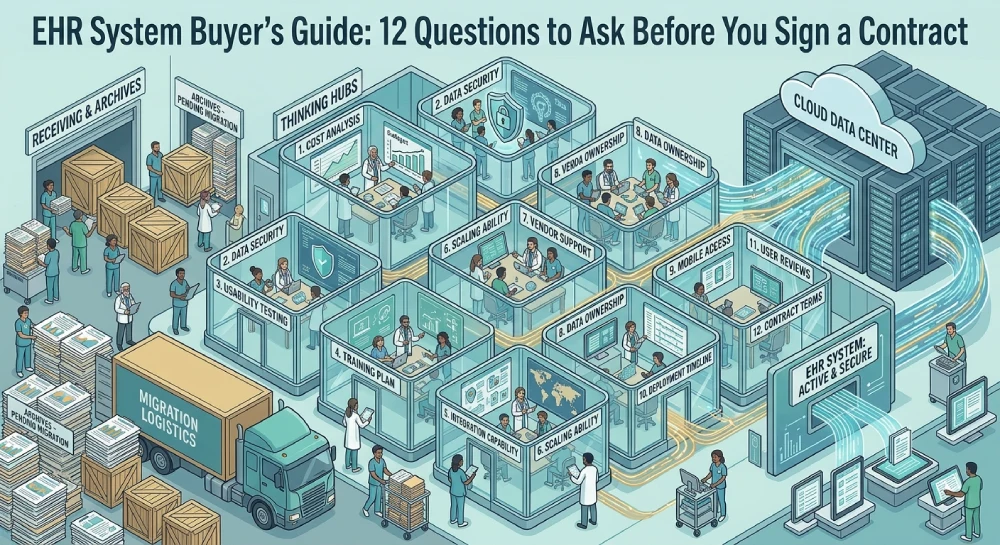
Question Twelve: What Happens After Signing?
The sale is not the end. It is the beginning.
- Who handles implementation?
- How long does setup take?
- What ongoing help exists?
Some vendors disappear after payment. Others stay involved. Know which one this is.
Conclusion:
Choosing an EHR system is not a small decision. It shapes how the practice runs for years. Twelve questions stand between a smart choice and a costly mistake.
Start with EHR strategy. Understand EHR vs CRM. Protect patient health information. Plan for EHR data management. Weigh the advantages of EHRs against the risks.
Good healthcare technology makes work easier. Bad technology makes everything harder. Ask the hard questions now. Thank yourself later.
Frequently Asked Questions
What is an EHR system and why does it matter?
An EHR system stores patient health records digitally. It improves accuracy, speeds up access, and connects providers. Better care comes from better information.
What is the difference between EHR vs CRM?
An EHR handles clinical data like diagnoses and prescriptions. A CRM manages business tasks like scheduling and billing. Some platforms combine both functions.
Why is EHR strategy important before buying?
Without a strategy, practices buy software that does not fit their needs. A clear plan maps workflows, goals, and budget before committing to any contract.
How does an EHR system protect patient health information?
Security features include encryption, access controls, and compliance with HIPAA. Vendors should explain exactly how data stays safe from breaches.
What does EHR data management involve?
It covers storage, backups, transfers, and retrieval. Good management ensures data stays accessible and portable between systems.
What are the main advantages of EHRs?
Fewer errors, faster access to records, better coordination between providers, and improved patient care. Paper charts cannot compete with these benefits.
How does Customer Relationship Management help healthcare?
CRM software handles scheduling, reminders, billing, and patient communication. It keeps business operations smooth while EHRs handle clinical care.
What should training include for a new EHR system?
Training should cover daily tasks, troubleshooting, and advanced features. It should be ongoing, not just a one-time session.
How important is integration with other healthcare technology?
Very important. Labs, pharmacies, and billing systems need to connect. Poor integration creates extra work and frustration for staff.
What support should be expected after signing?
Reliable vendors offer 24/7 support, fast response times, and ongoing updates. Support should not disappear once the contract is signed.